KAI: Comic Maker Manga, Manhwa
- 3.8
- Rating
- 500.00K
- Installs
- Free
- Price

 Analysis by App-foxy
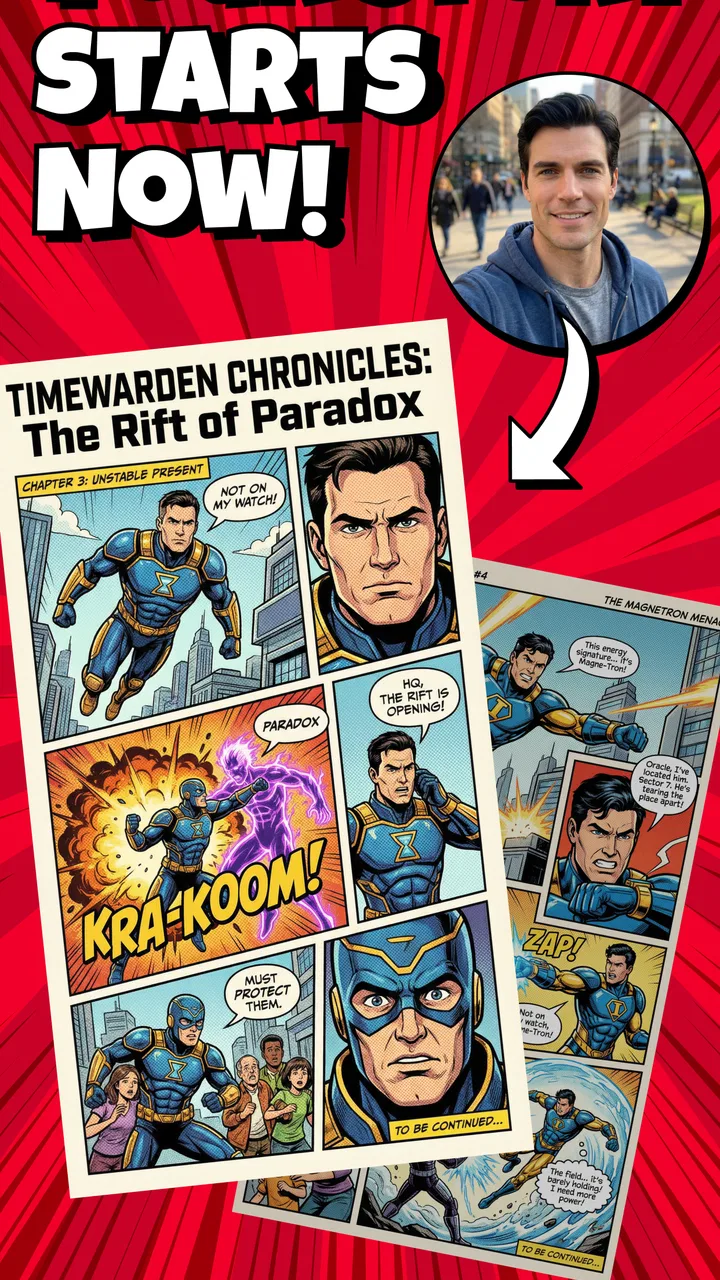
I approached KAI: Comic Maker Manga, Manhwa as a practical tool for turning a rough story idea into a visual comic, rather than as a simple reading app. That distinction matters. This is a free comics app from MOBIVERSITE YAZILIM BILISIM REKLAM VE DANISMANLIK, and its appeal is aimed at people who want to build their own webcomics, manga-style scenes, manhwa-inspired pages, or illustrated fiction from a mobile device. After spending time with its creative workflow, I found it most interesting as a low-pressure place to test ideas before committing to a larger drawing or publishing setup.
The first thing I would tell a friend is that KAI is easier to appreciate when you treat it as a storytelling workspace. It is not automatically a replacement for a full desktop art program, and it does not remove the need to think about pacing, dialogue, composition, or visual consistency. What it does offer is a more approachable route into sequential storytelling. You can begin with a scene, experiment with the shape of a page, and gradually discover whether your idea works better as a short episode, a vertical scroll, or a collection of illustrated moments.
Starting with a repeatable comic-making workflow
My preferred way to use the app is to separate writing from arranging. I first decide what a scene needs to communicate, then I build the visual sequence around that purpose. This avoids one of the most common problems in mobile comic tools: filling panels simply because there is room for them. In KAI, beginning with a short beat such as “the character notices the empty chair” gives the page a clearer direction than starting with random images and trying to invent a story afterward.
You May Also Like

 Blood Strike: 2.5 Anniversary
Blood Strike’s Loadouts Turn Every Drop Into a Tactical Gamble
A close look at Blood Strike’s custom loadouts: how fast access to signature weapons reshapes its battle royale rhythm, rewards preparation, and narrows the gap between fights.

 Pandora - Music & Podcasts
Pandora’s Music Is Easy to Start, but Harder to Recover
Pandora’s strength is its low-effort path from a seed to a station. Its weak spot is how much confidence it asks you to place in connection, setup, and quiet recovery.

 8 Ball Pool
 Is Built on Rivalries, Rematches, and Routine
A close look at the rivalries, rematches, shared routines, and unanswered safety questions that turn a quick pool match into a persistent mobile community.

 Samsung Music
’s Quiet Strength Is Playing What You Already Own
Its reach comes less from spectacle than from dependable access to a personal library. That simplicity is both the app’s strongest retention engine and its ceiling.

 AccuWeather: Weather Radar
AccuWeather Review: A Quick, Clear Forecast for Everyday Decisions
For everyday plans, the best forecast is the one you can understand quickly. AccuWeather makes rain timing, radar, and local conditions easy to act on, with a few trade-offs.

 Hill Climb Racing
Why Hill Climb Racing Still Turns Crashes Into One More Run
A tiny car, a bumpy hill and one more upgrade: Hill Climb Racing keeps resurfacing because its simple chaos makes every near-miss feel personal.
More From Our News Desk



A useful baseline workflow is to outline a scene in three parts: setup, change, and reaction. The setup establishes where the reader is; the change provides the event; the reaction gives the moment some emotional weight. Even when the finished result is very short, this structure helps me decide which panels deserve space and which can be combined. It also makes the app feel less like a collection of decorative elements and more like a tool for controlling the reader’s attention.
I recommend creating a rough version before polishing anything. Put the main characters and dialogue in place, check whether the order makes sense, and only then spend time adjusting the presentation. This is especially helpful on a phone, where repeated editing can become tiring. A draft-first habit also makes it easier to notice when a page is too crowded. If every panel contains speech, movement, and background detail, the reader has nowhere to pause.
For a realistic everyday use case, imagine having twenty minutes during a commute or lunch break to work on a personal story. I would not try to complete a full chapter in that window. Instead, I would build one exchange between two characters, save the rough sequence, and return later for cleanup. That small-session approach suits the app better than expecting a long uninterrupted illustration session. It turns spare time into steady progress without making each visit feel like a major project.
The most valuable early decision is the format of the story. A compact page can work well for a joke, a reveal, or a single dramatic interaction. A longer vertical sequence may be more comfortable for a gradual conversation or a scene that depends on controlled pauses. I found that choosing the reading rhythm before arranging details prevents a lot of unnecessary rearranging. The same dialogue can feel rushed in a dense page and surprisingly effective when given more breathing room.
Another habit I found useful was keeping the first version deliberately plain. I focused on whether the characters were understandable and whether the dialogue arrived at the right moment. Decorative choices are tempting because they make immediate progress visible, but they can hide structural weaknesses. If the scene is confusing in a simple arrangement, extra visual treatment will rarely solve the underlying problem.
Settings that deserve attention before serious work
Before starting a longer project, I would spend a few minutes checking the available creation settings and the way the app handles the working canvas. The exact choices that matter will depend on the kind of comic you are making, but the principle is consistent: decide your reading direction, panel rhythm, and visual density early. Changing those choices after several scenes are built can create more work than expected, especially if the story depends on a consistent presentation.
I also recommend checking how text behaves inside speech areas before writing a large amount of dialogue. Mobile editors can make a sentence appear acceptable while editing and then feel cramped once it is viewed as part of the complete composition. I keep dialogue short, read it at normal size, and look for places where the eye has to jump awkwardly between a character and the speech. This is not merely a design concern; it affects whether the emotional timing survives the move from draft to finished scene.
The app is rated for Teen audiences, so I would still think carefully about the tone and subject matter of anything I create for younger readers. An age label does not decide whether a particular story is suitable for every audience. If you are making a public-facing comic, review the language, themes, and imagery as a complete work rather than assuming that the tool’s rating answers that question for you.
Because KAI is free to install, it is easy to explore without making an immediate financial commitment. It does include in-app purchases ranging from $3.99 to $79.99 per item, so I would avoid buying anything until I understood which parts of my workflow I genuinely use. A sensible approach is to build a small test comic first, identify the point where the free experience becomes restrictive for your project, and then decide whether paying solves a real problem. That is more reliable than purchasing based on the promise of making a larger project later.
I would also check the app’s current behavior on my own device before starting a major series. The current version is 1.0.9 and it supports Android 7.0 or later, which gives it a broad compatibility range, but compatibility alone does not guarantee that every phone will feel equally comfortable for detailed editing. Screen size, touch accuracy, and available storage can make a noticeable difference when arranging several elements. A small-screen phone may be fine for planning and dialogue, while a larger display is more pleasant for composition and review.
Faster patterns for people who make comics regularly
Once the basic process feels familiar, speed comes from repeatable decisions rather than frantic editing. I use a small set of scene templates in my head: conversation, reveal, reaction, and transition. I do not mean that every scene should look identical. The benefit is that I begin with a clear purpose, then adapt the arrangement to the story. This reduces the time spent staring at an empty canvas wondering what to do next.
A second useful pattern is to separate “must read” text from optional text. If a line explains the entire scene, it probably deserves to remain. If a line merely repeats what the image already shows, I consider removing it. This makes the comic quicker to assemble and easier to read on a phone. It also helps when the app’s editing space feels limited, because fewer words mean fewer adjustments to speech placement and visual balance.
I found that building scenes in passes is more efficient than trying to finish one panel completely before moving to the next. In the first pass, I establish the sequence. In the second, I correct dialogue and character placement. In the third, I look at consistency and remove distractions. This approach makes mistakes cheaper. If the second panel is unnecessary, I can remove it before spending time perfecting its appearance.
For recurring characters, I would keep a small reference note outside the app with their names, relationships, speech habits, and important visual traits. Even if the creative tool makes arranging a scene straightforward, continuity still depends on the creator. A character who suddenly changes personality or appearance can make a short comic feel unfinished. The note does not need to be elaborate; a few reminders are enough to protect consistency across episodes.
One less obvious advantage of this method is that it makes collaboration easier, even if you are working alone most of the time. When the scene has a clear purpose and a simple outline, it is easier to show a draft to a friend and ask a specific question: “Is the reveal understandable?” is more useful than “Do you like it?” KAI works well as a place to prepare that kind of shareable draft, because the focus remains on the sequence rather than on producing a technically elaborate illustration.
I would also use a naming habit for projects and drafts. A title that identifies the scene and its stage is more useful than a vague label. For example, a draft can indicate whether it is an outline, a dialogue pass, or a version ready for review. This sounds minor, but it prevents the common problem of opening several similar files and not knowing which one contains the latest changes. For anyone making a series, organization becomes part of the creative workflow.
Where the app’s limits become important
KAI’s biggest limitation, in my experience, is that a streamlined comic-making environment cannot provide the same depth as a full illustration suite. If your goal is detailed hand-drawn anatomy, elaborate lighting, advanced lettering control, or highly customized visual effects, you may eventually want another tool. KAI is better suited to building and testing a story than to replacing every stage of a professional art pipeline.
That does not make it a poor choice. It simply means you should decide what kind of creator you are. Someone who wants to explore characters, plot beats, and webcomic structure can get real value from a focused mobile workflow. Someone who already has a precise digital painting process may find the app too constrained. In that situation, a dedicated drawing application or desktop software would offer more control, even if it takes longer to learn.
The same trade-off applies to long projects. A short comic can remain manageable because the creator can remember its visual rules and story details. As the number of scenes grows, organization, continuity, and revision become more demanding. I would not begin a large graphic novel here without first testing how comfortably I can manage the project over time. A small pilot episode is a better measure than enthusiasm on the first day.
There is also a difference between making a comic and publishing one. KAI can help you construct a visual story, but the broader work of editing, audience building, file management, and distribution still belongs to the creator. If you need a complete publishing pipeline, community discovery, or professional production tracking, you may prefer a service designed around those needs. This app makes the creation stage more approachable; it should not be mistaken for an entire business system.
Users who dislike working on a touchscreen may also want to think twice. Mobile convenience is useful, but it comes with a smaller working area and less tactile precision than a tablet with a stylus or a computer. I found the app most comfortable when I made clear decisions and avoided microscopic adjustments. If your enjoyment depends on manipulating tiny details for long periods, the device may become the limiting factor rather than the app itself.
Privacy and purchasing decisions deserve ordinary caution as well. I would review the permissions and purchase prompts shown on my device, especially before using the app for a substantial personal project. Since the app is free to begin with, there is no reason to rush into optional spending. Take time to understand the workflow, make a sample scene, and decide whether the available tools match your expectations.
Who should use it, and who should choose something else
I think KAI is a strong starting point for aspiring comic writers, manga and manhwa fans who want to experiment with their own stories, and casual creators who prefer a guided mobile process over a blank professional canvas. It is also useful for teachers, writing groups, and hobbyists who need a quick way to turn a scene into something visual. The app lowers the barrier between “I have an idea” and “I can show someone what that idea feels like.”
It is less suitable for an artist whose main requirement is unrestricted drawing control. If you need complex brush engines, extensive layer management, precision lettering, or a mature production pipeline, a specialized art application is likely the better choice. Likewise, readers looking only for finished comics should look elsewhere; the central experience here is making, arranging, and refining your own material.
The audience size suggests that the app has attracted meaningful interest: it has passed half a million installs, with an average rating of 4.0 from roughly twenty-five thousand ratings and 431 written reviews. I treat that as a useful sign that the concept connects with many users, but not as a guarantee that it will fit every creative style. Ratings can tell me whether an app is worth investigating; my own workflow test tells me whether I want to keep using it.
My verdict after building a habit around it
What I like most about KAI is the way it encourages a manageable creative loop: outline a scene, arrange the important moments, read it as a viewer, and revise what is unclear. That loop is more valuable than any single decorative option because it teaches the creator to think in sequences. The app feels most rewarding when I use it consistently in short sessions instead of waiting for the perfect afternoon to produce a complete chapter.
My advice is to begin with a tiny project: one scene, a limited cast, and a clear ending. Use that test to learn how the canvas, dialogue, and arrangement choices feel on your device. Then create a personal routine around the parts that work best. The real strength of this app is not instant perfection; it is making repeated comic practice feel approachable.
After that trial, the decision becomes straightforward. Keep using it if you want a convenient way to shape stories visually and you are comfortable accepting some limits in exchange for simplicity. Move to a more specialized alternative if your work depends on advanced illustration control or a larger publishing workflow. For me, KAI earns a recommendation as a friendly comic-building app, particularly for beginners and storytellers who want to turn ideas into readable scenes without starting with a complicated professional setup.
Its free entry point makes experimentation easy, while the Teen rating and optional purchases are reminders to consider your audience and spending before committing to a long project. With the current version, broad Android compatibility, and a clear focus on user-created comics, it is a worthwhile tool to try. I would not call it the final destination for every creator, but I would happily suggest it to a friend who keeps saying they want to make a manga or webcomic and needs a practical first step.
FAQs for KAI: Comic Maker Manga, Manhwa
01What is KAI: Comic Maker Manga, Manhwa?
KAI: Comic Maker Manga, Manhwa is a versatile app that allows users to create and publish their own manga or manhwa. With a wide range of tools and templates, users can design characters, craft storylines, and share their creations with a global audience. It’s perfect for both beginners and experienced comic enthusiasts.
02Is KAI: Comic Maker free to use?
The app offers a free version with basic features, which is great for getting started with comic creation. For those seeking advanced tools and additional content, KAI: Comic Maker provides in-app purchases and a premium subscription that unlocks a broader range of features and resources.
03What platforms support KAI: Comic Maker Manga, Manhwa?
KAI: Comic Maker Manga, Manhwa is available on both Android and iOS platforms. This makes it accessible to a wide range of users who can enjoy creating comics on their smartphones or tablets, ensuring flexibility and convenience in the design process.
04Can I collaborate with others using KAI: Comic Maker?
Yes, KAI: Comic Maker offers collaboration features that allow users to work together on projects. This is particularly useful for teams who want to combine their creative talents. Users can share projects with each other, making it easy to co-create and edit collaboratively.
05How user-friendly is the interface of KAI: Comic Maker?
The interface of KAI: Comic Maker is designed to be intuitive and user-friendly, catering to both beginners and experienced users. The app provides tutorials and guides to help new users navigate its features, while the well-organized layout ensures that all tools are easily accessible for efficient comic creation.
Pros
- User-friendly interface for beginners.
- Wide range of customizable templates.
- Supports various comic styles.
- Regular updates with new features.
- Export options for multiple formats.
Cons
- Limited free version features.
- Occasional in-app ads can disrupt.
- Some tools require a learning curve.
- No offline mode available.
- Subscription model can be pricey.

KAI: Comic Maker Manga, Manhwa
Gallery